

An outdoor campaign imagery checklist is the single document that aligns your creative team, media buyers, and production crew before a single shot is taken. Without it, campaigns ship with wrong file formats, mismatched brand colors, and QR codes too small to scan. This guide covers every critical checkpoint: from creative direction and branding imagery standards to DOOH technical specs, asset system planning, and proof-of-performance documentation. Tools like Adobe Creative Suite handle design precision, while Grammarly catches copy errors before files go to print or upload.
1. What essential creative elements must be in your outdoor campaign imagery checklist?
Strong outdoor campaign imagery starts with photography or graphics that hold up at scale. High-resolution assets at minimum 72 ppi in RGB color mode are the baseline for static displays. Anything below that threshold degrades visibly on large-format prints and digital screens.
Brand consistency is non-negotiable. Your checklist must confirm that every asset uses approved brand colors, typography, and style guide elements. A billboard that drifts from your brand palette by even a few hex values erodes recognition across a multi-city campaign.
Creative direction matters as much as technical specs. Campaign photography is a deliberate cinematic production requiring location scouting and set design. Skipping that step produces generic imagery that fails to justify the media spend behind it.
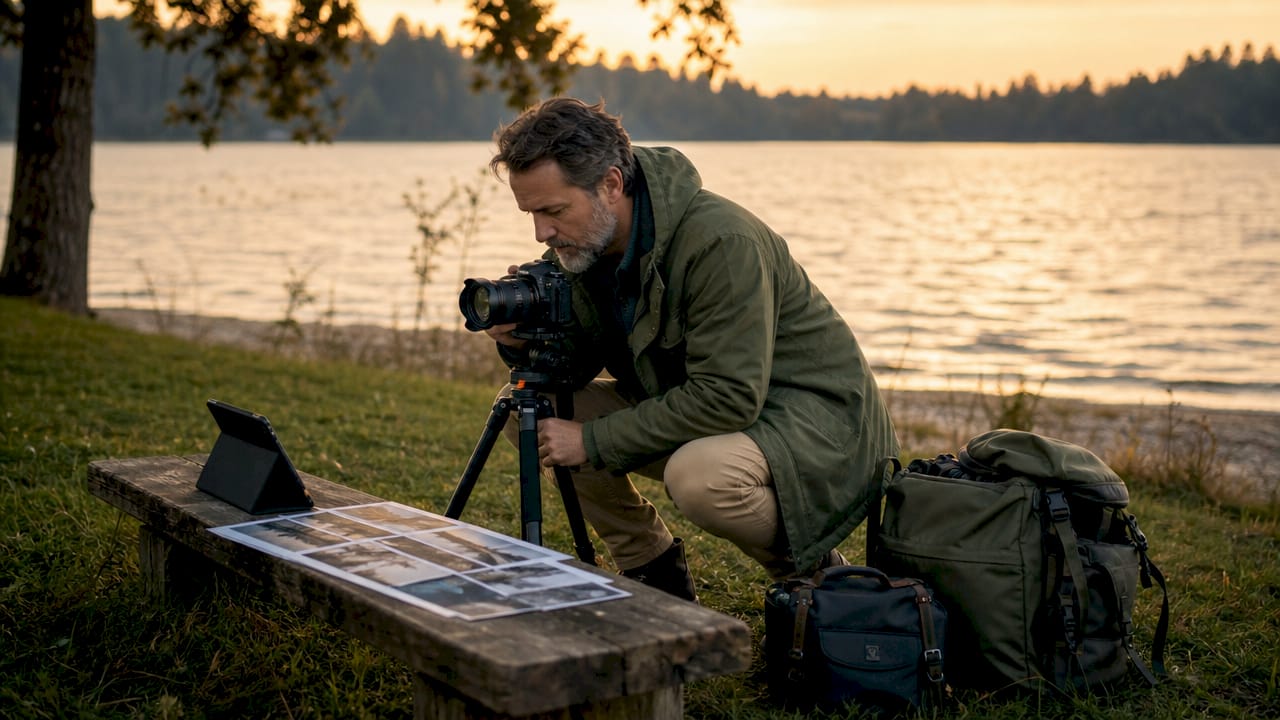
Creative briefs are where most campaigns quietly fail. Abstract vibe references waste budget. Specific references to existing campaigns serve as functional decision-making filters for photographers, art directors, and retouchers alike.
Your creative checklist should include:
- High-resolution photography or graphics at 72 ppi minimum, RGB color mode
- Confirmed brand color codes (Pantone, CMYK, and hex values)
- Typography files and usage rules from the current style guide
- Location scouting notes and approved shoot environments
- Specific campaign reference images attached to the brief
- QR codes sized at minimum 1.5 inches square, ideally 2 inches or larger for reliable scanning
Pro Tip: Never brief a photographer with mood board images alone. Attach three to five reference campaigns that show the exact lighting style, subject framing, and color temperature you want. It cuts revision rounds in half.
2. Which technical specifications are critical for outdoor media formats?
Technical specs are where campaigns get expensive mistakes. Operator-specific spec sheets should be requested directly from each media owner. Generic templates miss safety zones, resolution requirements, and format-specific constraints that vary by network and hardware.
Static outdoor assets follow a clear standard. Files should be delivered as JPG or PNG, at 72 ppi, in RGB color mode. CMYK files intended for print billboards require separate confirmation with the printer before submission.
Video assets for digital out-of-home (DOOH) carry their own rules:
- Format: MP4 is the accepted standard across most DOOH networks
- Duration: 15 seconds is the safest default duration for cross-network compatibility; 8, 10, and 30-second cuts exist but require network confirmation
- Frame rate: 25 or 30 fps depending on the network’s hardware standard
- Bit rate: Confirm maximum bit rate with each operator; exceeding it causes compression artifacts on screen
- File size: Keep files within operator limits. Oversized files and wrong export settings cause playback failures visible to everyone at the location
Regulatory constraints add another layer. California caps exterior diffused light on rooftop LED displays at 0.05 candela per square inch. That limit directly affects how you design brightness and contrast into your creative.
Pro Tip: Run a preflight check against the operator’s spec sheet before every upload. Open the file in a media player, confirm duration, check file size, and verify color mode. Five minutes of preflight prevents a public-facing display failure.
3. How to plan a cohesive system of campaign images across formats
A campaign is a system of related assets, not a single hero image. Strong campaigns rely on a set of hero and supporting images that maintain a shared visual language across every placement. Planning for one great shot and then adapting it to twelve formats produces inconsistent results.
Asset planning starts with mapping placements to formats. A campaign running across billboards, transit shelters, social media, and web banners needs images cropped and composed for each context. A horizontal billboard composition rarely works as a vertical transit ad without a complete reshoot or awkward cropping.
| Format | Orientation | Primary use | Key consideration |
|---|---|---|---|
| Billboard | Horizontal | Brand awareness | Minimal text, bold visuals |
| Transit shelter | Vertical | Pedestrian engagement | Eye-level composition |
| Social media | Square or vertical | Paid and organic reach | Safe zones for text overlay |
| Web banner | Horizontal | Retargeting | Fast load, clear CTA |
Common pitfalls of under-planning include:
- Shooting only one hero image and discovering it does not adapt to vertical formats
- Running the same creative across all placements, causing audience fatigue within weeks
- Missing editorial versus e-commerce image needs, which require different lighting and framing
- Failing to plan for seasonal or regional variations that require asset swaps mid-campaign
Mapping assets to placements early gives your brand lasting flexibility. It also reduces emergency reshoots, which cost more than building the full asset system upfront.
4. What are best practices for documenting outdoor campaign performance?
Documentation is a campaign asset, not an afterthought. In-context street photography of each placement performs significantly better on social channels than generic mockups. A real photo of your billboard in a recognizable neighborhood generates organic sharing that a rendered mockup never will.
Your documentation checklist should cover:
- Wide-angle context shots showing the placement within its neighborhood environment and pedestrian scale
- Close-up detail shots confirming print quality, color accuracy, and QR code legibility
- Installation videos capturing the placement process for behind-the-scenes content marketing
- Time-lapse footage of high-traffic locations for social media and internal reporting
- Proof-of-play reports for DOOH and fleet media confirming actual display times and GPS locations
- Organic social monitoring to capture and amplify user-generated content featuring your placements
Budget for documentation photography before the campaign launches. Brands that treat it as optional often cut it when costs run over, and they lose the social content that extends the campaign’s reach beyond its physical footprint.
Video documentation adds another dimension. Videography amplifies outdoor marketing results by turning a static placement into shareable content. A 30-second installation clip on LinkedIn or Instagram can reach an audience far larger than the physical location alone.
Key takeaways
A successful outdoor campaign imagery checklist combines creative precision, technical compliance, and planned documentation to deliver consistent results across every format and placement.
| Point | Details |
|---|---|
| Start with technical specs | Request operator-specific spec sheets before designing any asset. |
| Brief with references, not vibes | Attach specific campaign examples to every creative brief to reduce revisions. |
| Plan assets as a system | Map hero and supporting images to every format before the shoot. |
| Size QR codes correctly | Use a minimum of 1.5 inches square, ideally 2 inches, for reliable scanning. |
| Budget documentation upfront | Allocate photography and video documentation costs before the campaign launches. |
What I’ve learned from building outdoor campaign imagery systems
Most campaign failures I see come from the same place: the creative and media teams never talked before the shoot. The designer built a beautiful horizontal composition. The media plan included vertical transit shelters. Nobody caught it until the files were due.
The fix is not a better template. It is an earlier conversation. When I work with brands on outdoor campaign planning, the first question I ask is: where exactly is this running, and what does each placement require? That single question surfaces format conflicts, regulatory constraints, and asset gaps before they become expensive problems.
Generic spec templates are another trap. Every operator has different requirements. I have seen campaigns fail on DOOH networks because the creative team used a standard spec sheet from a different network. The file played back corrupted on a screen in a busy transit station. That is a public failure with real brand consequences.
Documentation is the most undervalued item on any outdoor advertising checklist. Brands spend significant budgets on media placements and then photograph them with a phone camera. Professional in-context photography of your placements is content that keeps working after the campaign ends. It feeds social media, press kits, and case studies. Budget it from the start.
The best campaigns I have been part of treated the shoot as a cinematic production. Location scouting was deliberate. The brief had real references. The asset system was mapped to every placement before we arrived on set. That level of preparation shows in the final work.
— Martin
Professional outdoor photography that meets every checklist requirement
Bissig specializes in outdoor campaign photography and filmmaking built for brand managers who need assets that perform across every format and placement. From location scouting and creative brief development to full asset system production and in-context documentation, every project is planned to meet the technical and creative standards your campaign demands.
Whether you need a complete campaign asset system or high-impact hero imagery for a specific placement, Bissig delivers work that holds up at billboard scale and converts on social. Explore professional outdoor photography services or review outdoor photography methods to understand the full scope of what a production-grade shoot covers.
FAQ
What resolution do outdoor campaign images need?
Static outdoor assets require a minimum of 72 ppi in RGB color mode for digital displays. Print billboards may require higher resolution; confirm with the printer or operator before delivering files.
How long should a DOOH video ad be?
15 seconds is the safest default duration for DOOH video campaigns, as it is compatible across most networks. Some networks accept 8, 10, or 30-second cuts, but always confirm with the operator.
What size should a QR code be on outdoor media?
QR codes on outdoor placements should be at least 1.5 inches square. A size of 2 inches or larger is recommended for easy scanning from arm’s length without requiring the viewer to move closer.
Why do DOOH campaigns fail on screen?
Oversized files and incorrect export settings are the most common causes of DOOH playback failures. Running a preflight check against the operator’s spec sheet before upload prevents public-facing display errors.
How many images does an outdoor campaign actually need?
The number depends on your placements and formats. A campaign running across billboards, transit shelters, social media, and web banners needs separately composed assets for each format. Planning a full asset system before the shoot prevents costly reshoots and creative inconsistency.


