

Capturing action sports on video sounds straightforward until you’re on a mountain trail with a rider blasting past at 40 mph, your footage is shaky, the light is flat, and the moment is gone forever. The gap between ordinary clips and standout outdoor films isn’t just about expensive gear. It comes down to a handful of technical decisions and creative habits that most filmmakers skip or guess at. This guide covers the exact settings, stabilization choices, lighting strategies, and editing workflows that turn raw adventure footage into cinematic stories worth watching.
Table of Contents
- Choose the right camera settings for action
- Master stabilization: Smooth footage on the move
- Lighting and location: Capture action in any environment
- Editing for impact: Turn raw action into cinematic stories
- What most action filmmakers overlook
- Level up your action videography with expert support
- Frequently asked questions
Key Takeaways
| Point | Details |
|---|---|
| Camera settings matter | High resolution, bitrate, and frame rate unlock flexibility and clarity for dynamic action footage. |
| Stabilization is essential | In-camera stabilization and wide FOV are key to smooth, captivating outdoor sports videos. |
| Lighting boosts quality | Using natural light and timing your shoots elevate both clarity and color in challenging environments. |
| Editing makes the story | Strong editing choices transform raw clips into cinematic stories viewers remember. |
Choose the right camera settings for action
Before you press record, your camera settings determine how much creative room you’ll have later. Getting this wrong means locked-in footage with no room to fix exposure, color, or framing in post-production.
Resolution is your first lever. Shooting in 4K or 5.3K gives you the pixel density to digitally crop into a shot without losing sharpness, which is a huge advantage when you can’t physically reposition during a fast-moving sequence. That extra resolution also supports 10-bit color and high bitrate recording, both of which give you far more flexibility when color grading.
Color profiles matter more than most beginners realize. A flat or log color profile records a wider dynamic range by compressing highlights and shadows, leaving the dramatic color work for your editing software. It looks washed out on the monitor, but that’s exactly what you want. Think of it as shooting a raw negative instead of a developed print.
Frame rate is where things get interesting. Here’s a quick breakdown:
- 24fps or 30fps: Delivers a cinematic, natural motion blur that feels like a film
- 60fps: Ideal for standard slow-motion playback at half speed
- 120fps or higher: Extreme slow motion for peak action moments like jumps or crashes
- Higher fps also means more light is needed, so watch your exposure in low-light environments
Field of view (FOV) is the final piece. A wide FOV captures more of the environment, which is useful for immersive action shots. A linear or slightly cropped FOV reduces the fisheye distortion that can make footage look amateurish in certain contexts. Knowing when to use each is part of understanding technical camera settings at a deeper level.
Pro Tip: If you’re unsure which frame rate to use, default to 60fps for outdoor action. It gives you the option to slow things down in the edit without committing to extreme slow motion.
For anyone new to video fundamentals, brushing up on video basics for outdoor scenes before a shoot saves a lot of frustration in the field.
Master stabilization: Smooth footage on the move
Once your settings are dialed, keeping your footage stable in wild environments becomes the next big challenge. Shaky video is the fastest way to lose a viewer, and in outdoor action, shake is everywhere.
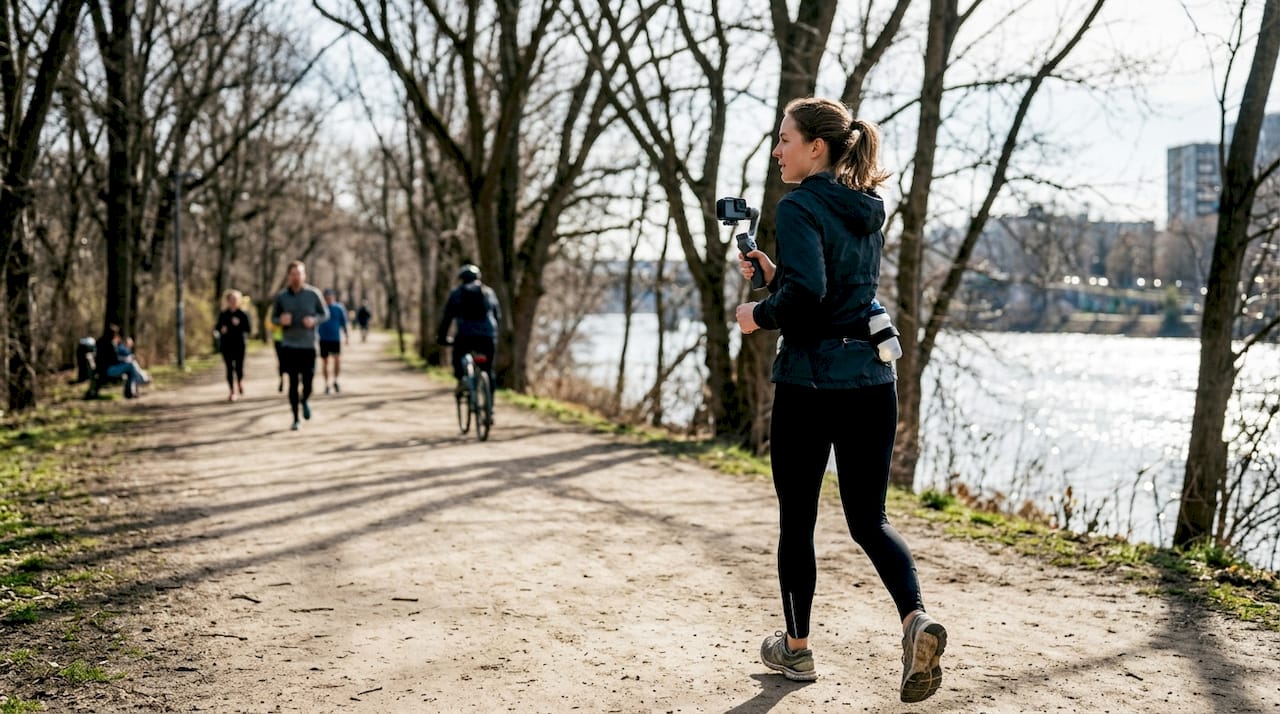
You have three main options: in-camera electronic stabilization, gimbals, and post-production stabilization. Each has a real place in your workflow, but they’re not interchangeable.
| Method | Best for | Limitation |
|---|---|---|
| In-camera EIS | Everyday action, run-and-gun shooting | Crops FOV slightly |
| Gimbal | Cinematic walking/riding shots | Bulky, less practical in extreme conditions |
| Post-production | Fixing unexpected shake in saved clips | Crops further, can warp edges |
The post-production stabilization approach is viable for extreme shake but is generally inferior to in-camera options. Shooting with a wide FOV is smart precisely because it leaves room for the crop that stabilization tools require.
Here’s a practical breakdown of each approach:
- In-camera EIS is the most convenient and works well for most outdoor action scenarios
- Gimbals deliver the smoothest results for tracking shots and cinematic movement but are impractical for sports like mountain biking or skiing where the camera is mounted to the athlete
- Post-production tools like Warp Stabilizer in Premiere Pro are your safety net, not your primary plan
“The best stabilization is the one that fits your shooting conditions. On a mountain bike trail, a gimbal is useless. In-camera stabilization and smart framing are what keep the footage watchable.” — Practical field experience from outdoor action shoots
Pro Tip: Combine 60fps or higher with in-camera stabilization when shooting extreme sports. The higher frame rate smooths motion further, and you get bonus slow-motion capability in the same clip.
For a deeper look at how these choices play out in real shoots, the videography strategies for smooth action shots breakdown is worth your time.
Lighting and location: Capture action in any environment
Even the smoothest shot can fall flat if the lighting or background doesn’t do your subject justice. Outdoor light is constantly shifting, and action sports don’t pause for perfect conditions.
Here’s a step-by-step approach to making light work for you:
- Scout your location before the shoot. Walk the trail, slope, or course at the same time of day you plan to film. Note where the sun hits and where shadows fall.
- Position your subject with the light source behind or beside you. Front-lit subjects have clear detail and color. Backlit subjects look dramatic but require exposure compensation.
- Use golden hour aggressively. The hour after sunrise and before sunset produces warm, directional light that adds depth and texture to any outdoor scene.
- Shoot in RAW or with a flat profile to preserve highlight and shadow detail when light is harsh or changing fast.
- Embrace overcast days. Flat light from clouds is actually ideal for technical shots where you need even exposure across a wide scene, like a full mountain face or a forest trail.
- Use shadows creatively. A rider emerging from a shadowed tree line into bright sunlight creates natural contrast and drama without any post-production work.
Higher FPS settings like 60fps or above give you crisp action and slow-motion options, while lower settings like 24 to 30fps create a cinematic motion blur that can actually make fast movement look more fluid and intentional. Matching your frame rate to the light available is part of making smart field decisions.
For a complete look at how location and light interact in real outdoor shoots, the outdoor photography workflow guide connects the dots between planning and execution.
Editing for impact: Turn raw action into cinematic stories
Once the footage is captured, it’s the edit that brings your action story to life. Raw clips are just raw material. The edit is where pacing, emotion, and narrative come together.
High bitrate and 10-bit color footage give you the most room to work in post. You can push shadows, pull highlights, and apply aggressive color grades without the image falling apart. Shooting flat or log is useless if your footage is compressed 8-bit video with low bitrate. The two decisions are connected.
Here’s a comparison of basic versus advanced post-processing approaches:
| Step | Basic workflow | Advanced workflow |
|---|---|---|
| Color correction | Auto white balance fix | Manual curves and color wheels |
| Color grading | Preset LUT applied | Custom LUT built for the shoot’s light |
| Stabilization | Warp Stabilizer on shaky clips | In-camera EIS plus selective post correction |
| Pacing | Cut on beat | Cut on emotion and motion direction |
| Audio | Background music track | Layered ambient sound plus music |
For the editing itself, these practices make the biggest difference:
- Cut on motion. Transition between clips when the subject is mid-movement. It hides the cut and keeps energy high.
- Use your best clip first. Viewers decide in the first five seconds whether to keep watching.
- Vary clip length intentionally. Short, punchy cuts for peak action, longer holds for scenic or emotional moments.
- Don’t over-stabilize. Some natural camera movement tells the viewer they’re in a real, physical environment. Perfectly smooth footage can feel sterile.
- Color grade for mood, not just accuracy. A slightly cooler grade reads as high altitude. Warmer tones feel like summer trails.
The editing basics for action footage workshop covers these workflows hands-on for filmmakers who want to move beyond trial and error.
What most action filmmakers overlook
Here’s a perspective few discuss but every pro learns the hard way: gear and settings are the floor, not the ceiling. You can nail every technical decision and still produce footage nobody wants to watch twice.
What separates memorable outdoor films from ordinary clips is almost always the story being chased, not the camera being used. The best action footage has a subject with a clear arc, a location that earns its place in the frame, and a moment of genuine risk or beauty that the filmmaker was prepared enough to catch.
Preparation is where most people underinvest. Knowing the terrain, understanding the athlete’s movement patterns, and having a rough shot list before the shoot starts means you’re reacting to opportunities instead of scrambling for anything usable. Adaptability matters too. Every outdoor shoot goes sideways in some way. The filmmakers who thrive are the ones who treat unexpected conditions as creative constraints rather than failures.
Story-driven videography is the skill that makes all the technical work worth something. Chase the story first. The settings will follow.
Level up your action videography with expert support
Ready to push your skills further? Whether you’re looking to sharpen your technical foundation or take on ambitious outdoor projects, working alongside an experienced action filmmaker accelerates everything.
Martin Bissig is a Canon ambassador and one of Switzerland’s leading action photographers, specializing in mountain biking, adventure sports, and expedition filmmaking across locations from the Alps to Pakistan. His work as an outdoor photographer in Switzerland spans commercial campaigns, editorial features, and independent projects. If you want to see what’s possible with the techniques covered in this guide, the video production portfolio shows the full range of cinematic outdoor work. Workshops, collaborations, and commissioned projects are all on the table.
Frequently asked questions
What camera settings are best for fast-paced action scenes?
Shoot in 4K or 5.3K with 10-bit color, high bitrate, and a flat color profile to maximize your editing options in post-production.
Is it better to use in-camera or post-production stabilization for action footage?
In-camera stabilization typically delivers smoother results for outdoor action. Post-production stabilization is a solid backup for clips with extreme shake but always crops your frame further.
How do I capture clear video in difficult lighting outdoors?
Use natural light to front-light your subject, shoot during golden hour when possible, and use a flat color profile to handle changing exposure conditions.
What frame rate is best for slow-motion outdoor sports shots?
Set your camera to 60fps or higher to capture crisp slow-motion playback. Higher frame rates like 120fps give you even more flexibility for dramatic slow-motion moments.
Should I record action footage with a wide or narrow field of view?
Shooting wide gives you flexibility for cropping and stabilization in post without missing critical moments at the edges of the frame.


